Apple dimensions & 1x scaling
Match iPhone and iPad pixel specs, get nearest-size hints on mismatches, and auto-scale logical 1x Figma presets at 2x or 3x.
 Frame Preflight
Local-first App Store preflight
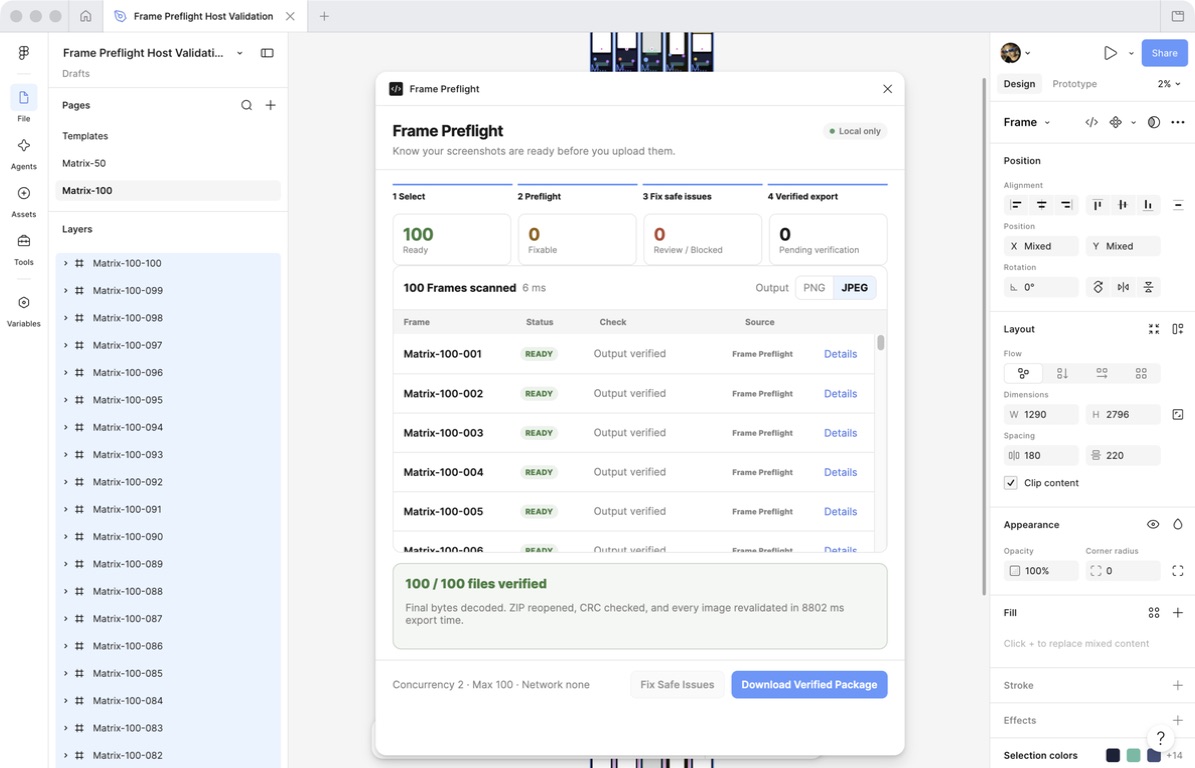
Scan up to 100 Figma Frames, Components, Instances, or Sections. Automatically strip opaque PNG alpha, scale logical 1x device presets, organize exports by device, and verify every ZIP byte locally.
Free · No account · No network access
allowedDomains: none
Metadata is only the first step. Ready is granted only after the final exported bytes and the reopened ZIP copy pass the same checks.
Match iPhone and iPad pixel specs, get nearest-size hints on mismatches, and auto-scale logical 1x Figma presets at 2x or 3x.
Visually opaque RGBA PNGs convert losslessly to 24-bit RGB without leaving Figma; truly transparent PNGs stay blocked with a one-click JPEG option.
Sort by canvas position, group mixed sizes into device folders with optional 01- prefixes, then verify every reopened ZIP entry and CRC.
A conservative four-step path from selected layers to evidence you can inspect.
Choose 1–100 Frames, Components, Instances, or Sections in a Figma Design file.
Check Apple display targets, nearest-size hints, missing fonts, and 10-per-set limits.
Apply non-destructive 2x/3x scale rules, device folders, and collision-free filenames.
Strip opaque PNG alpha, decode final bytes, verify ZIP CRC integrity, and download.
Frame Preflight never presents every warning as an Apple rejection rule.
A requirement sourced from Apple, such as supported screenshot dimensions or no Alpha.
Helpful delivery guidance that is not presented as a platform rejection rule.
Deterministic checks such as filename collisions and final-byte package verification.
The plugin has no uploads, accounts, remote API, or analytics. Website measurement is disclosed in Privacy.
No. Safe Fix changes only the export plan, 2x/3x export scale, filenames, folder grouping, or output format.
Figma often exports PNGs with an RGBA alpha channel even on solid backgrounds. Frame Preflight inspects every pixel locally, strips fully opaque alpha losslessly to 24-bit RGB, and blocks only PNGs with real transparency (offering JPEG as a fallback).
No. Scanning, pixel inspection, alpha removal, ZIP creation, and ZIP revalidation stay inside Figma.
No. Ready requires final-byte decoding plus successful ZIP reopen, CRC checks, and image revalidation.
Frame Preflight is available free on Figma Community.
Install in Figma