Apple screenshot dimensions
Compare final pixel dimensions with the frozen iPhone and iPad rule snapshot.
 Frame Preflight
Local-first App Store preflight
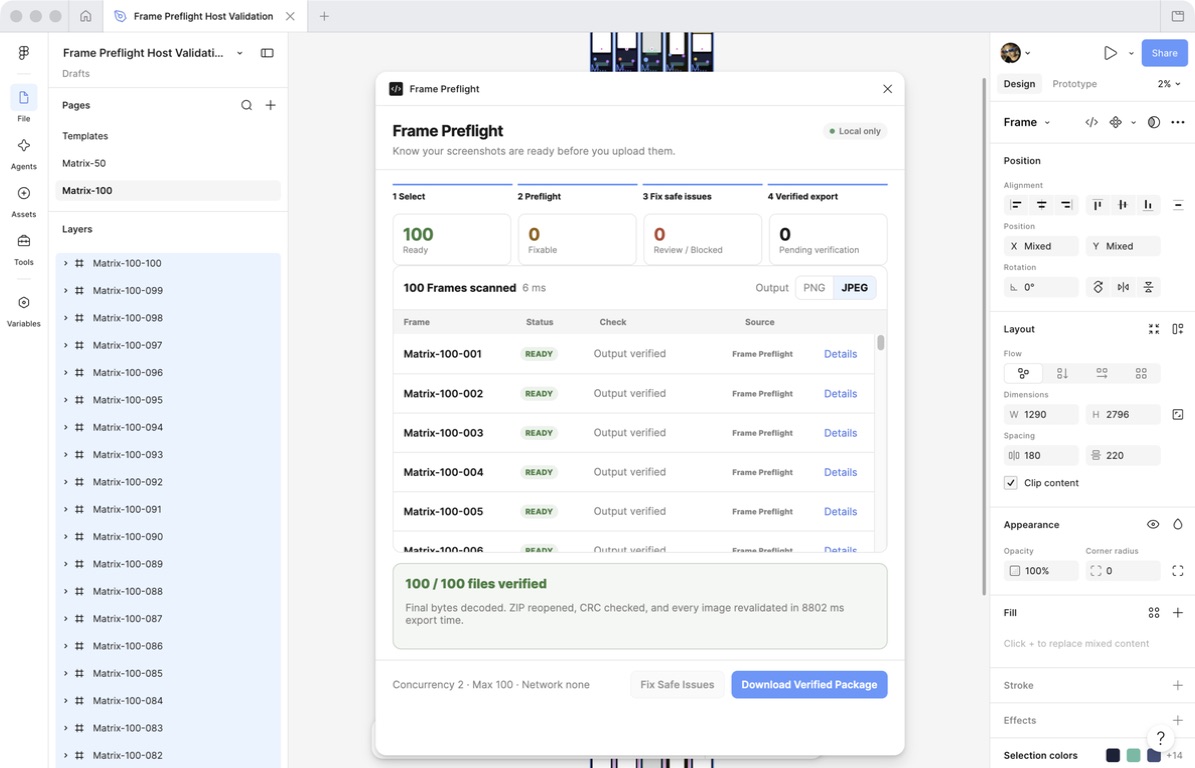
Scan up to 100 Figma Frames, catch known submission issues, safely fix export-plan problems, and create a locally verified package. Your designs never leave Figma.
Free · No account · No network access
allowedDomains: none
Metadata is only the first step. Ready is granted only after the final exported bytes and the reopened ZIP copy pass the same checks.
Compare final pixel dimensions with the frozen iPhone and iPad rule snapshot.
Inspect the final file bytes. Alpha remains blocked when a safe conversion cannot be proven.
Resolve export-plan collisions, then verify ZIP entries, CRC values, and every decoded image.
A conservative four-step path from selected Frames to evidence you can inspect.
Choose 1–100 screenshot Frames in a Figma Design file.
Review status, rule source, version, severity, and evidence.
Change only the export plan, filename, explicit format choice, or package structure.
Validate bytes, create the ZIP, reopen it, check CRC, and revalidate every image.
Frame Preflight never presents every warning as an Apple rejection rule.
A requirement sourced from Apple, such as supported screenshot dimensions or no Alpha.
Helpful delivery guidance that is not presented as a platform rejection rule.
Deterministic checks such as filename collisions and final-byte package verification.
The plugin has no uploads, accounts, remote API, or analytics. Website measurement is disclosed in Privacy.
No. Safe Fix changes only the export plan, filenames, explicit format choice, or package structure.
Figma PNG exports can contain an Alpha channel. Frame Preflight blocks them until a visually lossless safe conversion can be proven.
No. Scanning, export verification, ZIP creation, and ZIP revalidation stay inside Figma.
No. Ready requires final-byte validation plus successful ZIP reopen, CRC checks, and image revalidation.
Frame Preflight is available free on Figma Community.
Install in Figma